A good look by default
A scene that sets no exposure gets automatic exposure in the high-definition renderer, and both renderers share the same default tone curve, so a first scene looks right in either.
What has shipped, what is coming in the next release, and what is planned. Later items are directions, not promises.
In the newest release.
A scene that sets no exposure gets automatic exposure in the high-definition renderer, and both renderers share the same default tone curve, so a first scene looks right in either.
Paint or erase plants with a brush, and draw thousands as one instanced object, each with a stable identity. Tested headless with a million instances: scene load, memory and physics.
Layer animations by body part (swing a sword while running), mark cancel and hit windows on the clip timeline, and attach weapons and sensors to bones so hits register where the blade actually goes. Feet plant on slopes.
Convert FBX, BVH, glTF and Blender clips onto one standard humanoid skeleton and play any clip on any character. A contact-sheet preview shows the result before you import.
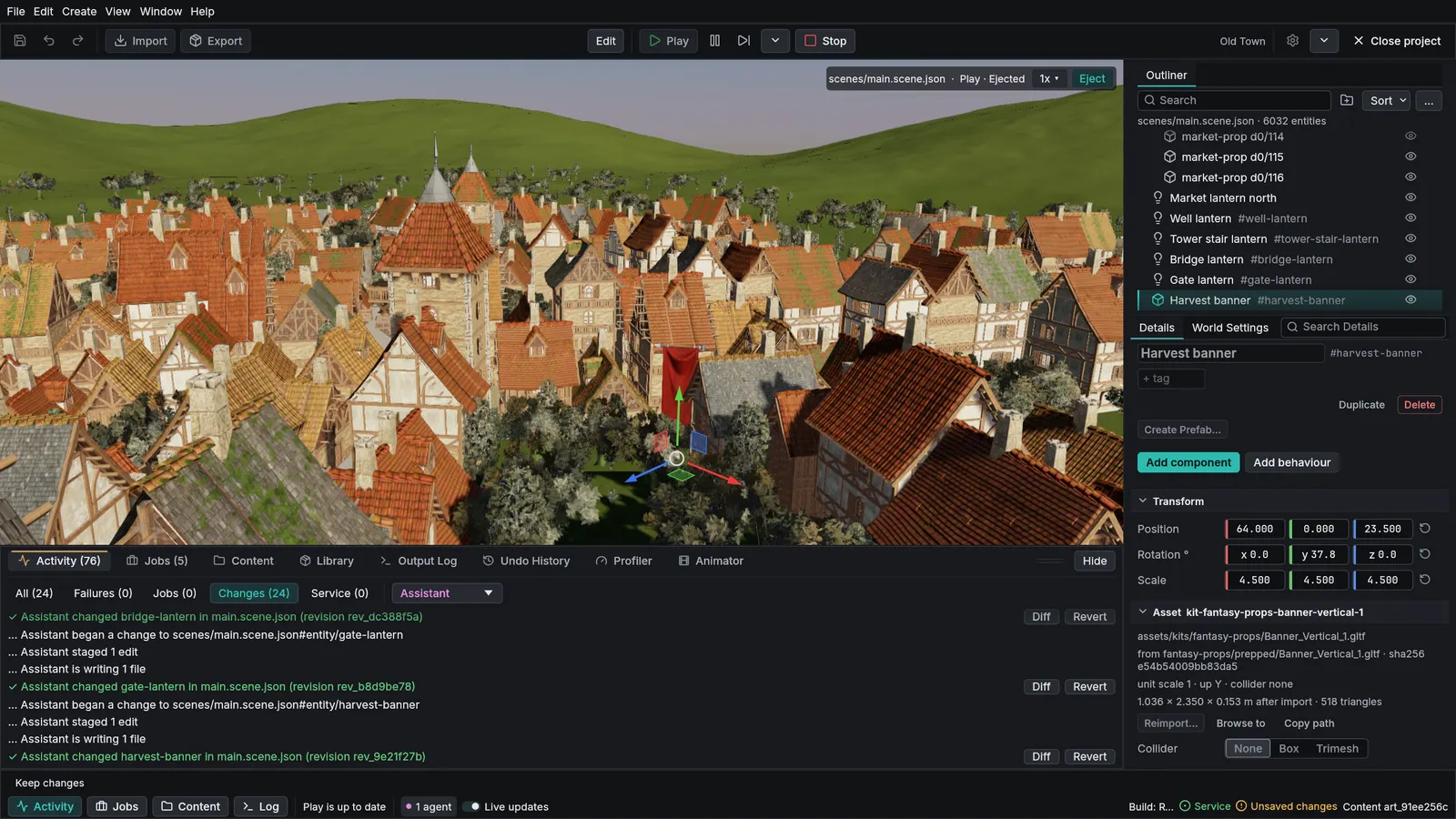
The editor shows a character's animation graph: its states, transitions, layers and parameters, with the current state lit while the game plays. Press a state to preview its clip, or scrub any clip in the scene view.
Generate background music through a connected music service using your own account, or import tracks you already have. Where each track came from is recorded with it.
Build a prefab from other prefabs: a house from walls and windows, a street from houses. A change to an inner prefab reaches every place that uses it, and a loop or runaway nesting is caught with a clear message.
Released earlier.
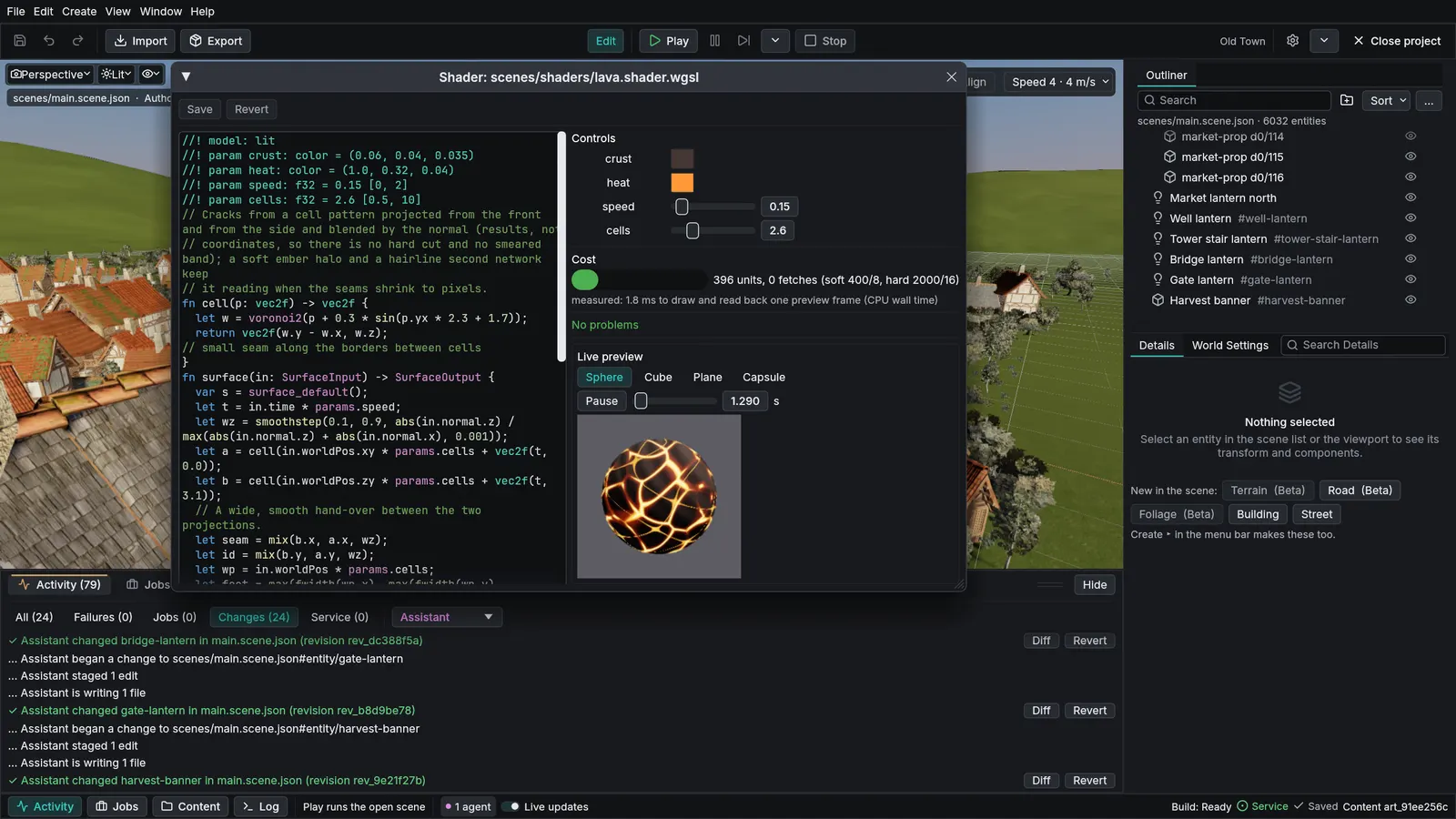
A shader code panel with colors, sliders generated from the code, error hints, a cost meter and a live preview. One shader file works in both the standard and high-definition renderers. Desktop exports prepare every shader while loading, so play does not stutter the first time an effect appears.
Meshes with millions of triangles draw only the detail the screen can show, so you stop hand-making lower-detail versions. Rocks, trunks and scanned props stay sharp up close and cheap far away. Geometry streams from disk as the camera moves. Available in the high-definition renderer.
Distant trees turn into baked billboards automatically, so long view distances stay affordable. Available in the high-definition renderer.
Light bounces around the scene live: sun, sky and glowing surfaces light everything they face, and reflections include objects that are off screen. It needs a graphics card with ray tracing; without one, the scene uses simpler lighting and the engine reports why. Available in the high-definition renderer.
In the high-definition renderer, sun shadows are cached and only redrawn where something moved, so wide views stay sharp and cheap, and point and spot lights cast shadows too. On graphics cards with ray tracing it can trace shadows, and swaying trees and animated characters show up in them as they move.
A sun-driven sky with volumetric clouds, cloud shadows and distance haze. Available in the high-definition renderer. Optional automatic exposure, where the camera adapts like an eye between shade and sunlight, arrives in the next release.
Metal, clear-coat car paint with flakes, back-lit leaves and cloth, and correct overlapping transparency in the high-definition renderer. Upscaling and multisampling keep edges clean.

A sea that goes from calm swell to a gale, with foam, spray off breaking crests at the Ultra preset, calm harbors you paint with a mask, and waves running up a shore you describe with a height map. Floating objects ride the real waves, and replays on the same machine give the same result. Available in the high-definition renderer.
Describe a landscape as a stack of steps (shape, noise, erosion that carves real valleys, flattened pads, shorelines) and the engine builds the same terrain every time. Collision comes with it, and navigation can be baked from it. Materials that put rock on cliffs and snow up high arrive in the next release.
Rivers and lakes form from the terrain's own drainage, and floating objects are carried downstream. Several fresh-water looks are built in. Drawn in the high-definition renderer.
Grow trees and shrubs from recipes and scatter them over the terrain. Grass and wildflowers move in the wind.
Characters find paths over built terrain and scenes, including paths that need a jump between ledges. The navigation mesh is baked from the same data as collision.
Blend between animations, fire events from points on a clip, and let root motion move the character. Feet are placed on the ground with inverse kinematics.
Suspension wheels with grip that depends on the surface under each tire, ready-made presets including a drifting kart, and roads built from a file. Boats and other floating craft move on the real ocean waves.
Rigid bodies, joints, triggers and collision layers on a fixed time step. Run a scene with the same inputs on Windows or Linux and you get the same result, checked every night, so replays and automated tests can rely on it.
Write gameplay in TypeScript, with type checking and changes picked up while the game runs.
Save a play session's input in a small file and replay it later at any size and from another camera, for reviews and trailers. A profiler capture can replay the same run against your edited project to check a fix.
Emitters with eight ready-made presets such as fire, smoke, sparks and dust. At the Ultra preset, rough seas throw spray, and waterfalls make mist.
Buses with effects, sound that comes from where things are, and engine sounds that follow speed. Simple sound effects (blips, whooshes, engine loops) can be synthesized from presets or a few settings, no recordings needed.
Build screens in a familiar web-like style with layout, styles, focus and gamepad navigation. Show 3D models inside menus. Games can be played by touch.
Sprites, sprite sheets and tile maps work with the same physics, menus and tools as 3D. A 2D platformer sample comes with the next release.
Keyboard, mouse, gamepad and touch through one set of named actions that players can remap. A control map can turn regions of a touch screen into sticks, look drags, buttons and taps.
Change a script, a scene or a shader and see the result without restarting the game. Most of the game keeps running; only an edited script is re-initialized, and it keeps its saved state.
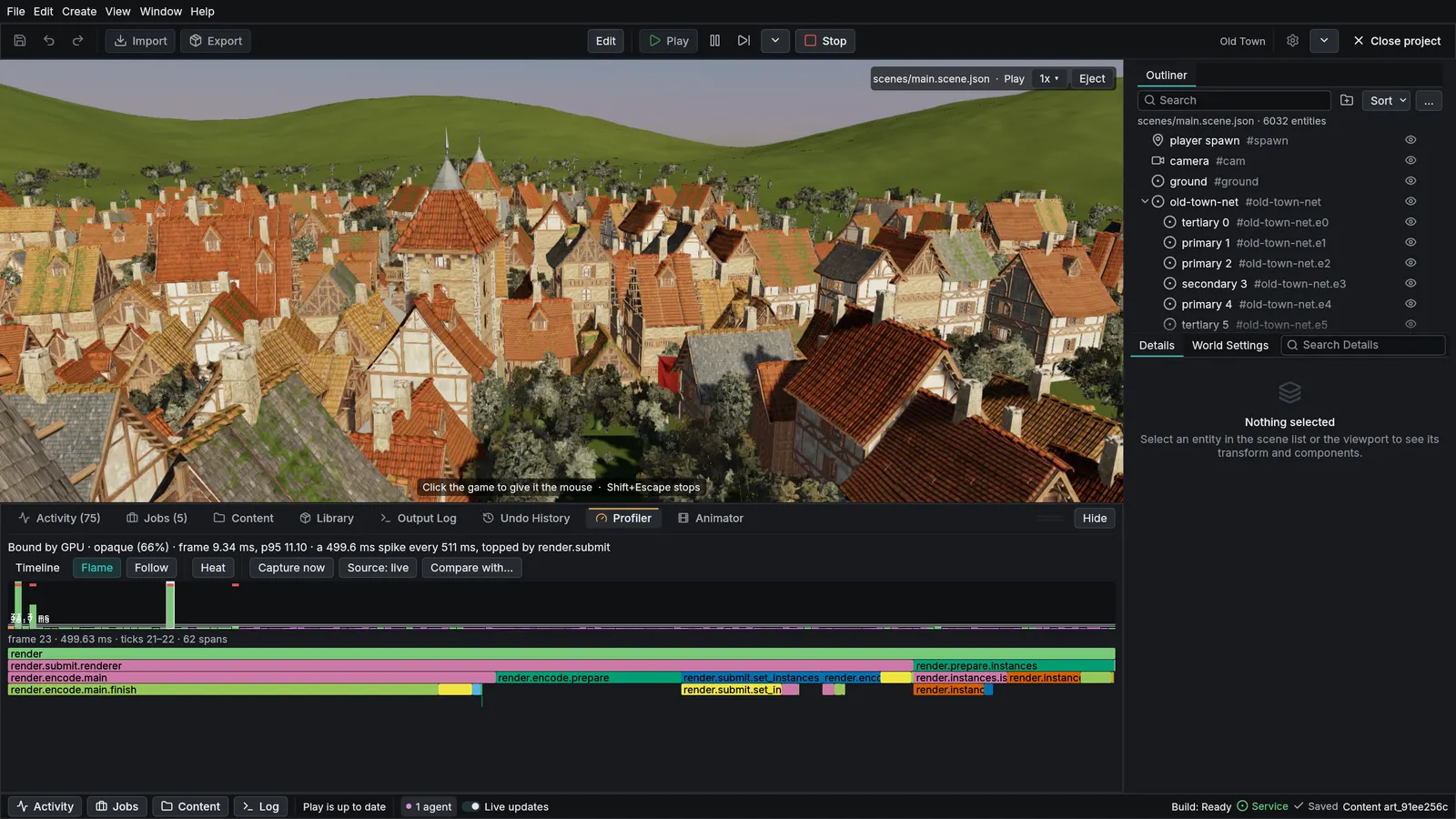
A profiler tab shows every frame against your budget; click a spike to see its timeline and flame graph. Your AI assistant can ask for a ranked list of likely causes with estimated savings. Recording is on while you develop and costs a few microseconds a frame, so the slow moment is already captured.
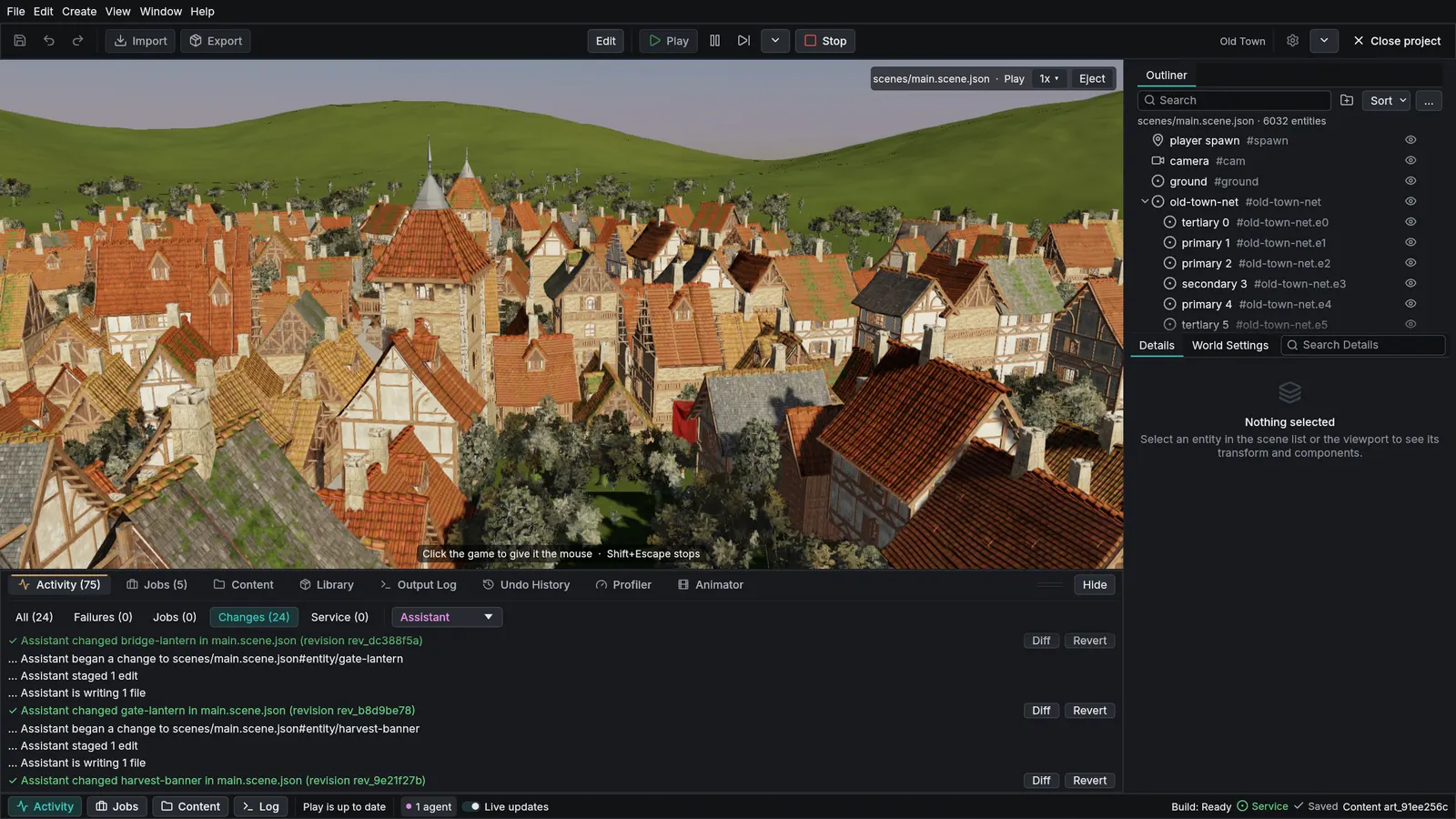
Run the game inside the editor, slow it down or speed it up, and step out into a free camera to inspect or move things while it keeps running. Simulate runs the game with no player input.
Holds, paths, orbits and follow shots with cuts and smooth blends, set up in the scene, no code needed.
Presentation view turns the editor into a clean show: the scene slowly orbits while a live feed shows what your AI assistant is doing. Made for streams and demos.
Content browser, prefabs, project settings and built-in bug reports. Almost every editor action also has a tool, so an AI assistant can do the same work in its own editor.
An AI assistant can create projects, write scenes and scripts, play and capture the game, test it and profile it, and is told why whenever an action is refused. From the next release, the launcher connects a supported assistant to a project in one step.
A built-in playtester runs your game without a window, drives the player toward the scene's goals and reports dead controls, soft locks, script errors and silent audio. A check before play catches broken references.
Import glTF models with their materials. Textures are compressed for each platform when you export.
Export a single .exe that runs on a Windows 10 or 11 PC (64-bit) with nothing installed, or a Linux build with a tarball or an AppImage. Web export, a static folder for browsers with WebGPU, is in preview.
Install, check, update and remove engine versions side by side, start from a sample, and keep every project on the version it was made with. A step-by-step start page that takes you from install to a game you can send someone arrives in the next release.
Done or being finished for the next release.
More terrain detail, better distant forests, and the standard and high-definition renderers looking alike.
Bright skies and dark interiors both readable in the same view.
Light shafts through fog and haze, scenes with many lights, and better translucency and skin.
Generate whole terrains from a few words, starting from real height data.
Generate buildings and small settlements from a recipe, ready to walk through.
Large maps load in pieces around the player, and pathfinding keeps working across them.
Squall will add fluid simulation and more ready-made effects, authored as data that you and an AI can both edit.
2D lighting and a pixel-perfect camera.
Clearer start-up steps, plain error messages and more samples.
Search a shared library first, and generate concept art or 3D models only when nothing fits, with the price shown before every paid step. Each generated model is checked for game-readiness, and where it came from is recorded with it.
More than one AI assistant building your game while you play-test it.
Split-screen play for up to four players with gamepads.
Closing the gaps so Windows, Linux and web builds get the same features and tests.
Android and iPhone builds, and Mac.
On the list with no release yet. Directions, not promises.
Individual hair strands and fur.
Navigation for swimming, flying and driving.
Positions that stay precise far from the center of the world, for very large maps.
Facial animation and ragdolls.
Natural movement picked from a library of motion.
Flags, capes and squishy objects that react to the world.
Pre-fractured objects that break on impact, replayable like the rest of the physics.
Thousands of non-player characters that see, hear and decide every moment, written as short rule lists in TypeScript, giving the same results for the same inputs whatever the thread count.
Ready-made building blocks for dialogue and quests.
Sound blocked by walls and shaped by the room it is in.
Music that changes with the action, moving between layers and sections as the game state changes.
Version control and merging of scenes from inside the editor.
Cut-scenes on a timeline with cameras, animation and sound in sync.
Extend the editor and the engine with your own tools.
Share and find assets made by other developers.
Online multiplayer, built on the engine's fixed-step simulation and replays. The groundwork is in the engine for the next release: our test scenes run to identical results on Intel and AMD processors and on Windows and Linux, the engine can rewind and re-run its last frames, which online play will use to correct for network delay, and a world can be rebuilt exactly from one snapshot, which is how a late joiner will catch up. The networking itself comes next.
Dedicated servers for online games.
Accounts, matchmaking and leaderboards for online games.
Voice chat for online games.
From the next release, you can build and test for virtual reality without a headset: a desktop stand-in for the headset with a virtual head and hands, profiles for common headsets, scripts that read them, and UI panels placed in the world. Real headsets come later.
Rendering settings tuned for phones and other low-power devices.
Build and test your game in the cloud on every change.
Crash reports from your players, with the details needed to fix them.
Console support is being explored.
Let players load their own levels, assets and scripts, with the scripts kept in a sandbox.
Color-blind modes, subtitles and screen-reader support in your games.
Tools to manage translated text in the editor.
Plans and their order can change.